
Product introduction
Alipay+ Cross-Border Public Transport solution helps travelers use public transport in destination countries as easily as local residents. It supports subway, tram, bus, ferry, and other local public-transport services.
Basic concepts
Term (Abbreviation) | Definition |
Alipay+ | A collaborative solution with partners to provide open, digital, and inclusive financial services to global consumers and merchants. |
Mobile Payment Provider (MPP) | A Mobile Payment Partner participating in Alipay+ Core or other user- or issuer-facing payment service provider cooperating with a member of Ant Group to enable payments. |
User-presented Mode Payment | A payment scenario where the merchant scans the consumer-presented code with a device to initiate the payment. |
Merchant-presented Mode Payment | A payment scenario where the consumer scans the merchant-presented code with a digital device, such as a mobile phone, to initiate the payment. |
Public transport | A type of transport that provides transport services to the public. In this document, it includes bus, subway, train, and ferry. |
Turnstile | Also known as gate machine, an automatic ticket verification equipment installed inside the station. This equipment normally allows one-way passage and permits only one person to pass through at a time. |
Transport Code | A QR code that carries user identity and authorization data for public-transport fare validation. |
Ride now, pay later | A service mode where users ride first and the fare is deducted after the trip. This provides users with a convenient transport service on the basis of Alipay+ Auto Debit. |
Auto Debit | A payment product provided by Alipay+, whereby a user authorizes automatic deductions by binding a user account to a merchant’s service. |
Dual offline | The conditions that both the mobile payment device and the turnstile are disconnected from their servers. |
Offline code | A QR code that carries data for completing authorization, generation, and dual-offline verification through an offline code platform. Offline means that in the process of verification, the sender and the receiver can be completely offline. |
Offline code seed | Data that is generated by an offline code platform for generating offline code in offline conditions. |
Benefits
Alipay+ Cross-Border Public Transport Solution offers the following benefits to users who are traveling across borders:
- No cash: Users are not requested to exchange cash in advance. No queue and language issues when buying tickets.
- No queue and language issues: No long queues or language barriers.
- Smooth experience: The user experience of the solution is well-designed to provide users with a smooth experience.
- Online ride histories: Users can check the ride histories in their e-wallets conveniently.
Use cases
Alipay+ Cross-Border Public Transport Solution fulfills the following two use cases in public transport:
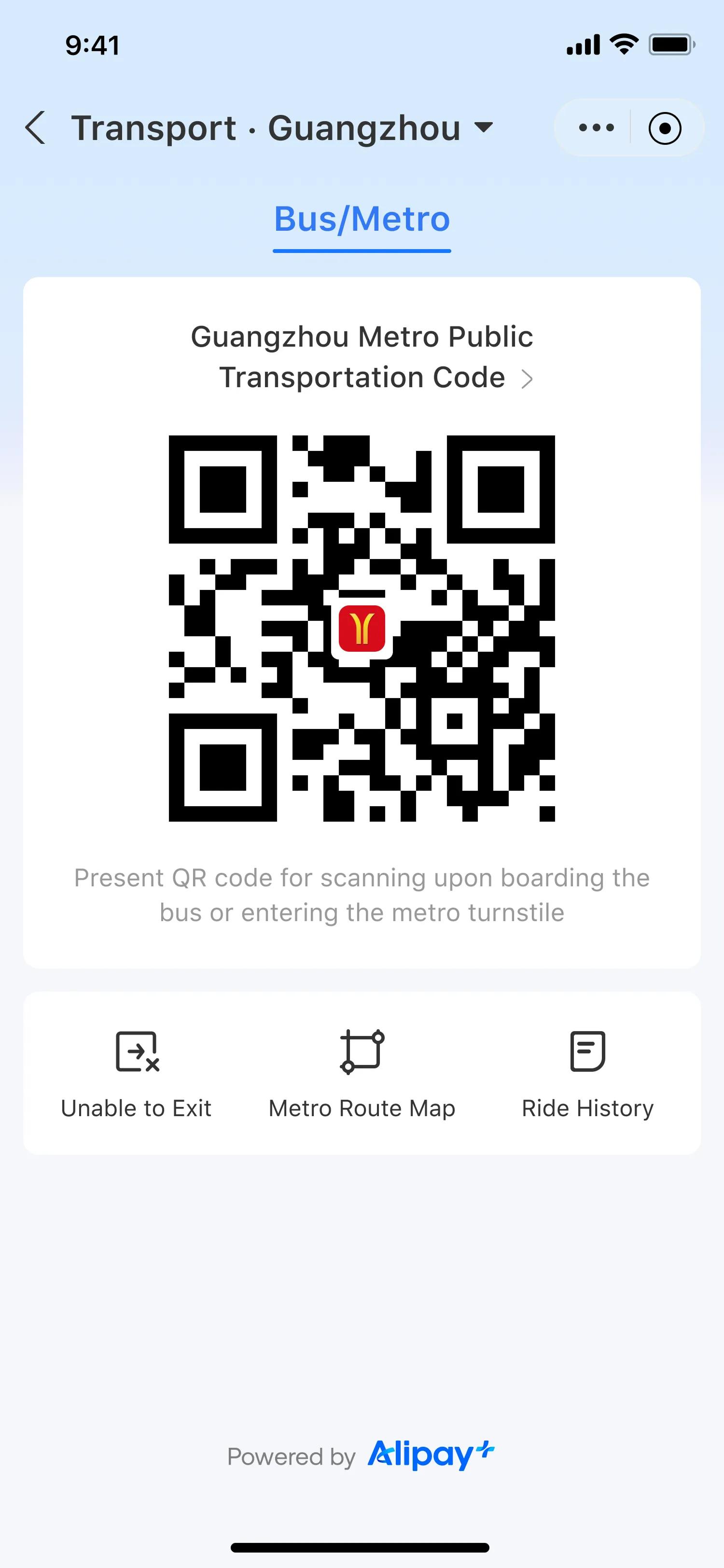
Present the Transport Code
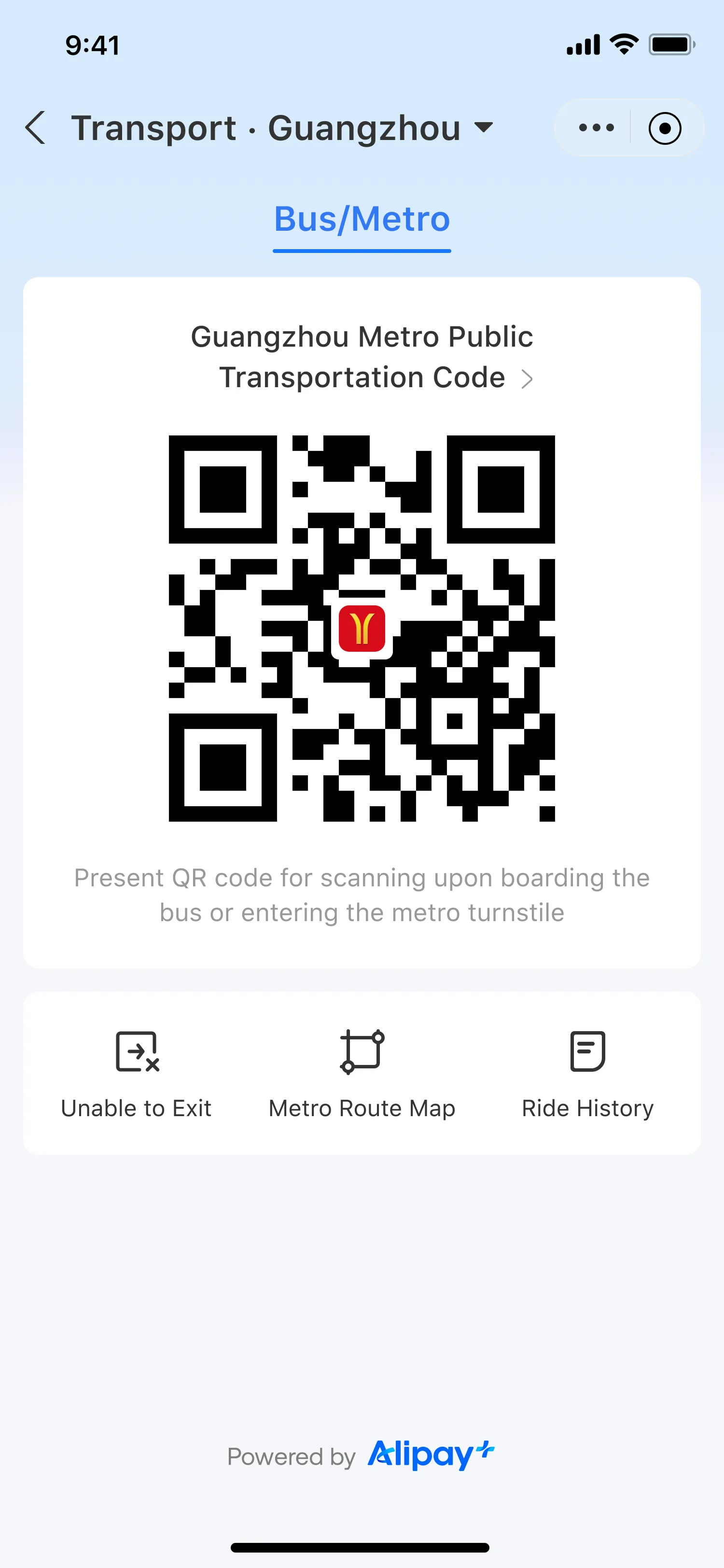
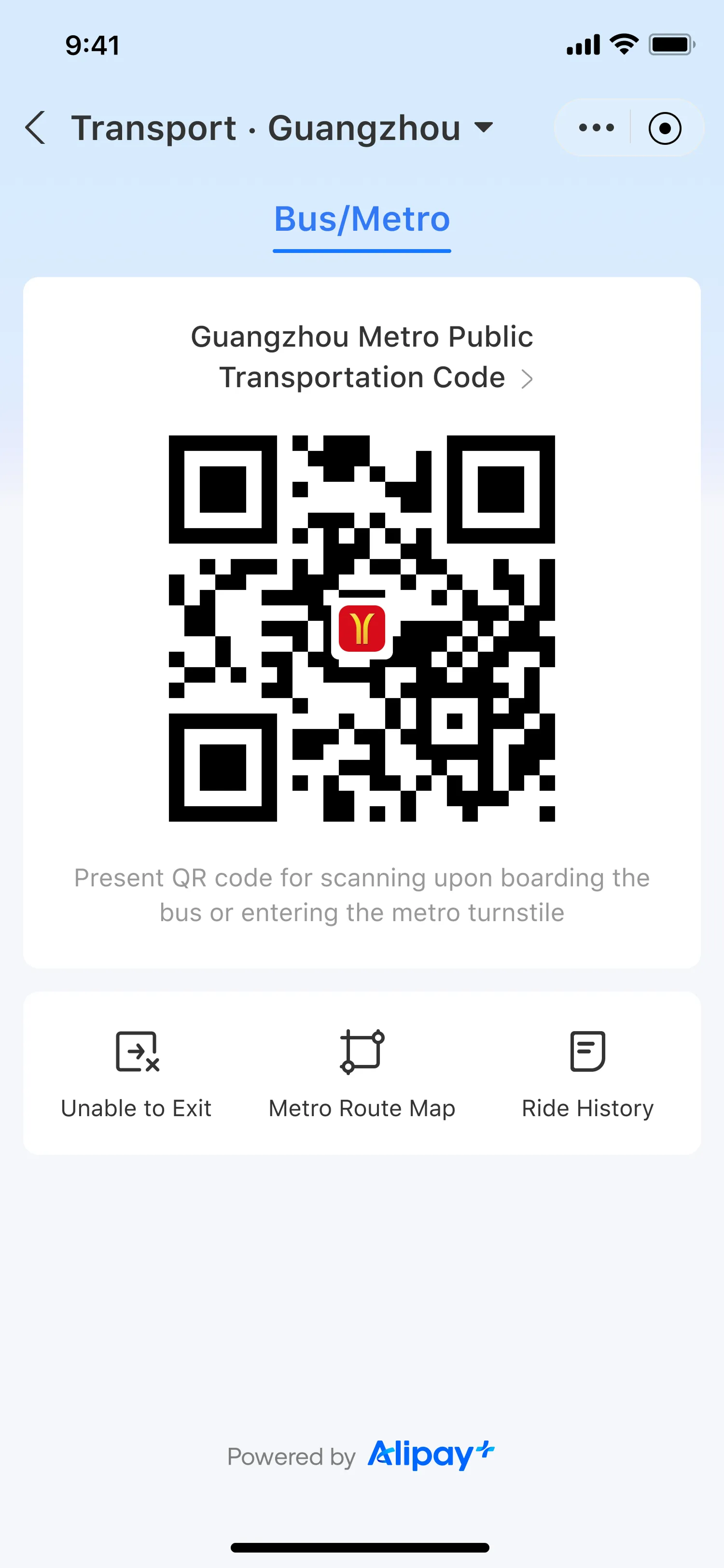
Users enable the Transport Code service in their wallet, then present the Transport Code at a turnstile scanner when entering and exiting stations or when boarding buses.
This comprehensively enhances the convenience of transport, allowing users to enjoy a more convenient and secure riding experience empowered by digital payment.
User experience
The user experience of the Transport Code mainly consists of the following parts:
- Enable the Transport Code service
- Present the Transport Code
- View ride history
- View metro route map
- Add entry information
Enable the Transport Code service
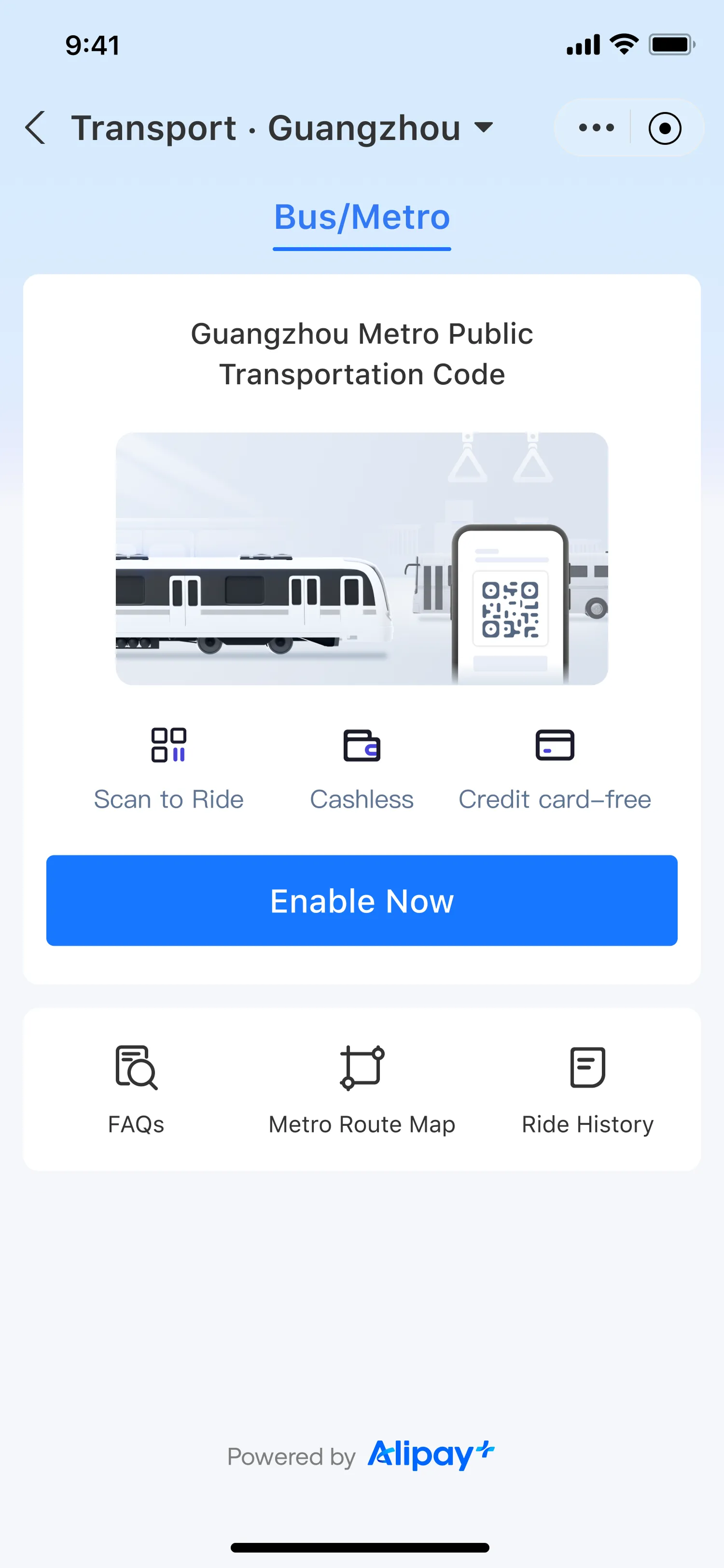
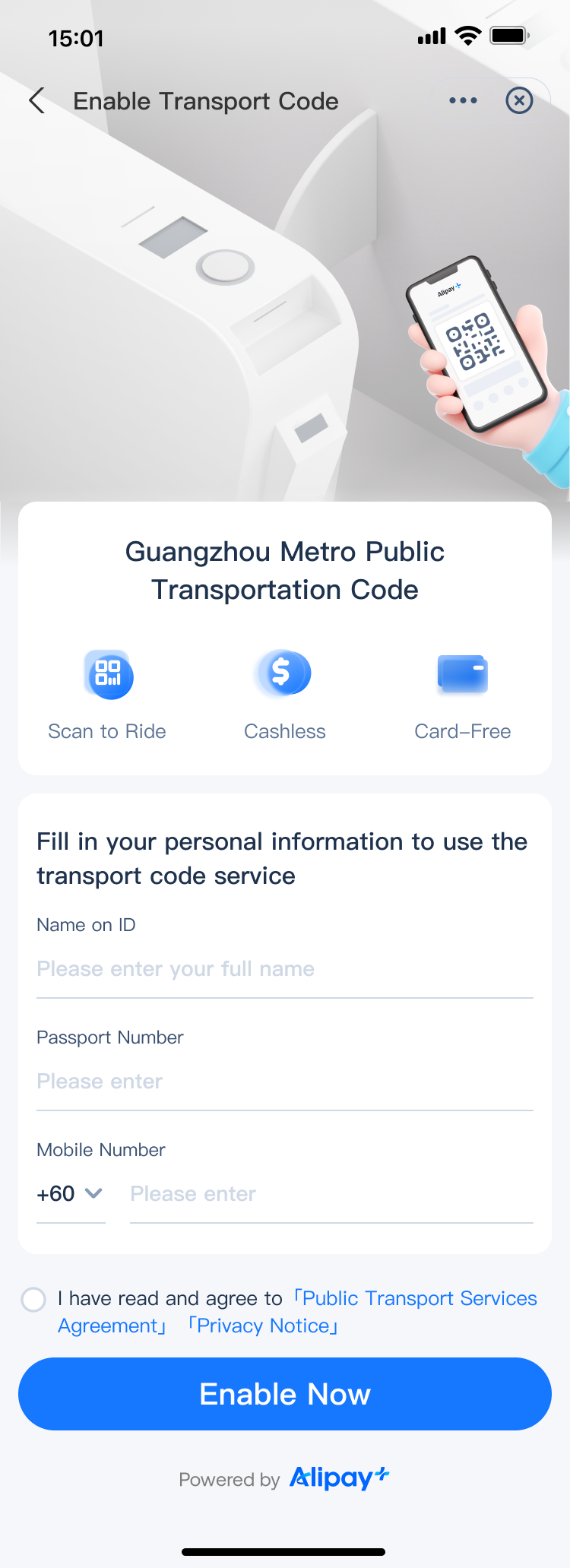
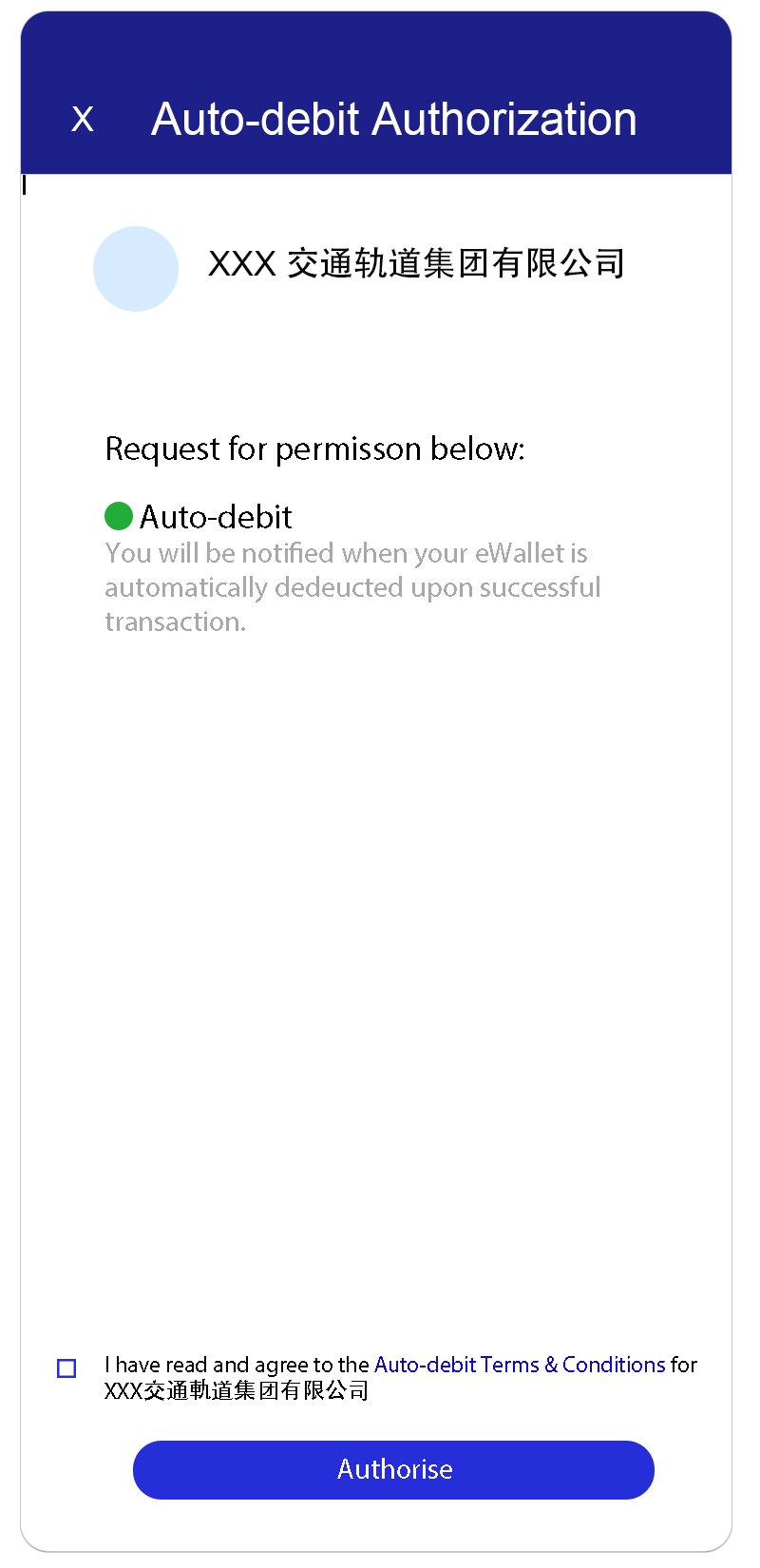
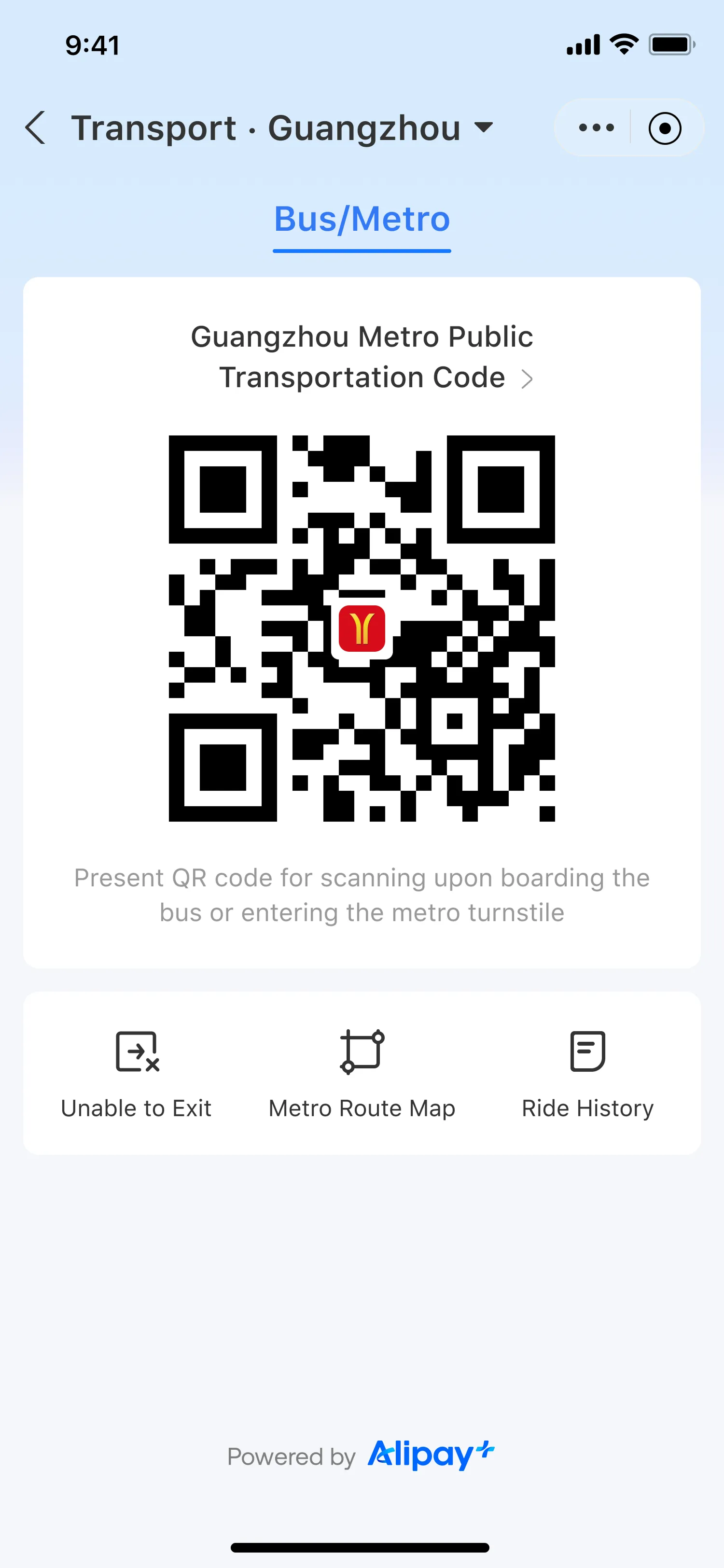
The user should enable the Transport Code service before riding. By submitting their personal information and agreeing to the terms and conditions, they enable password-free Auto Debit payments for public transport and obtain the Transport Code. The user experience is illustrated below:
|
|
|
|
|
|
|
| |
|
|

Present the Transport Code
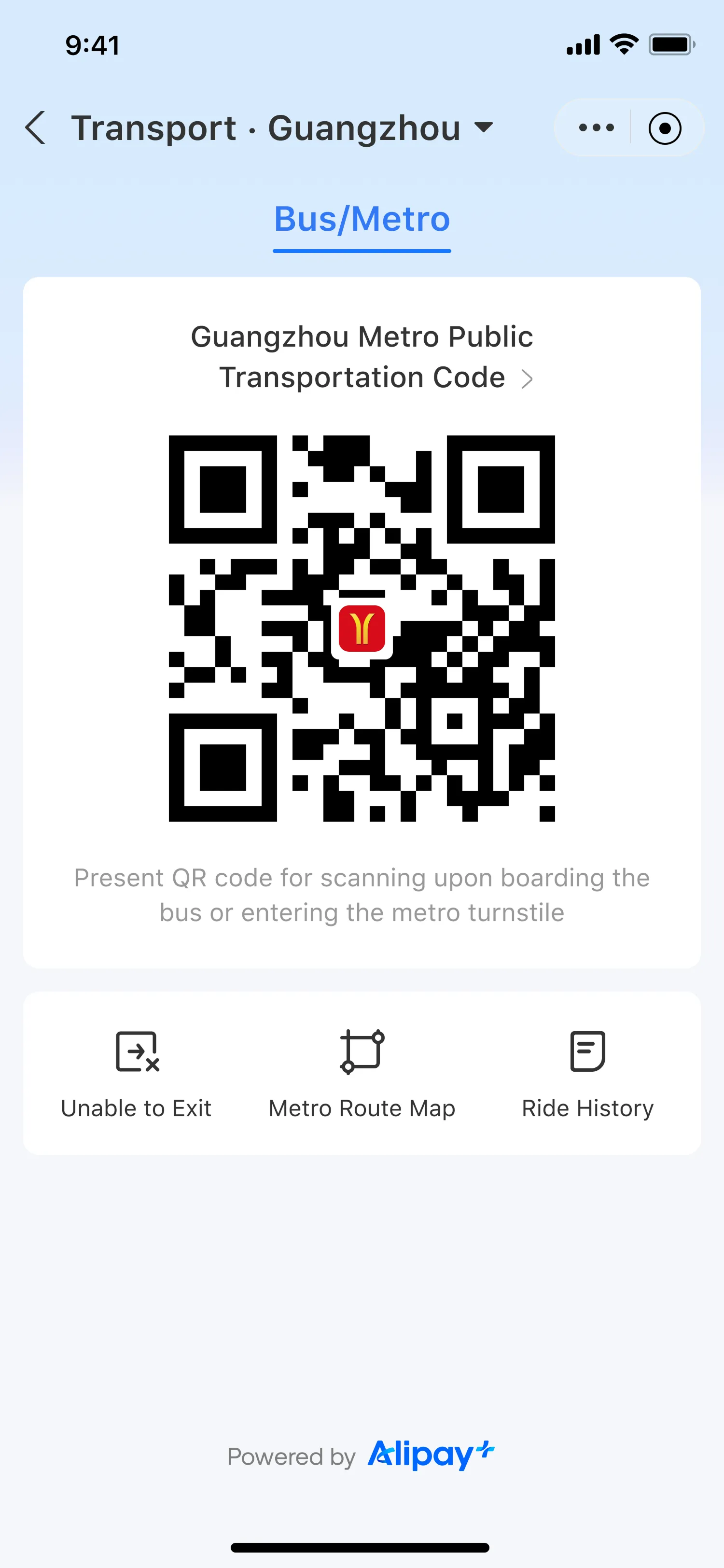
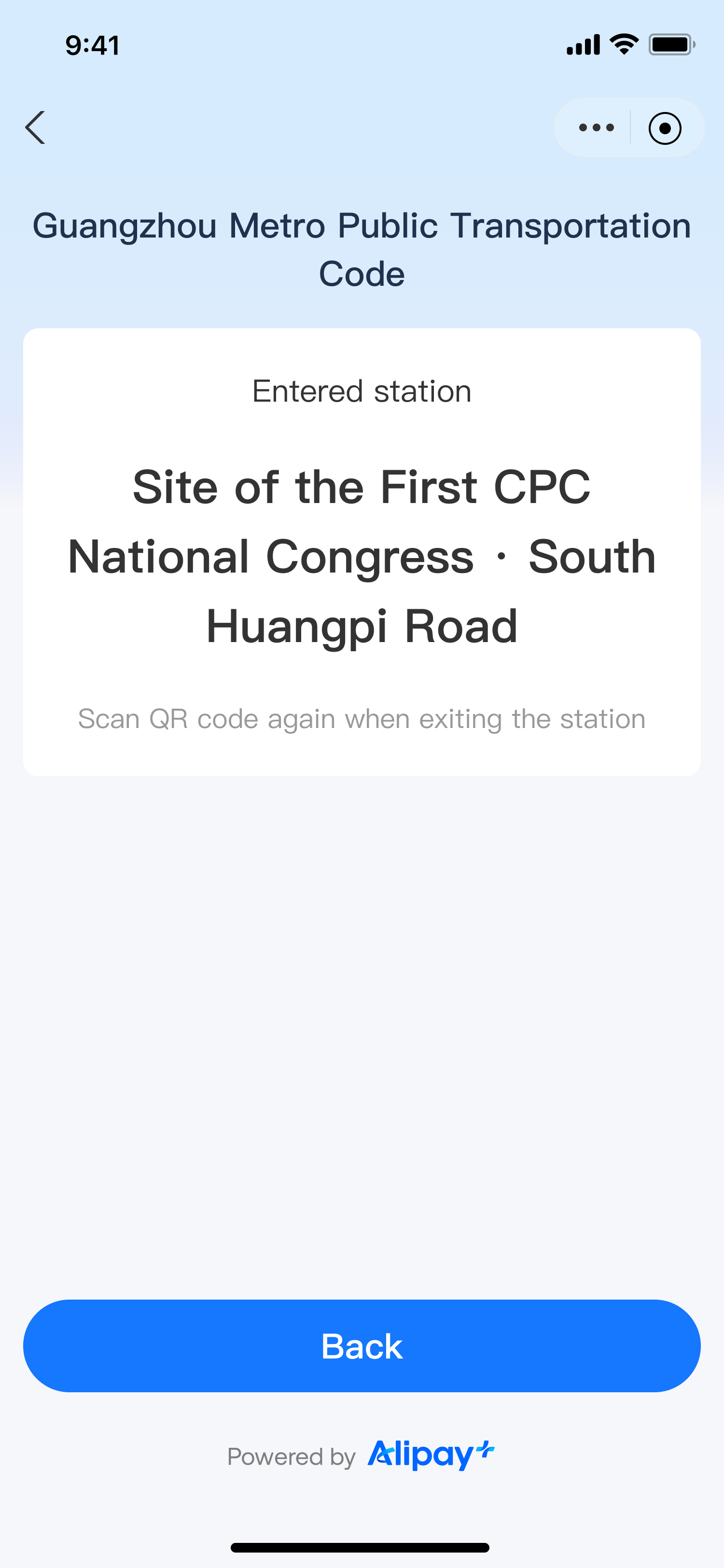
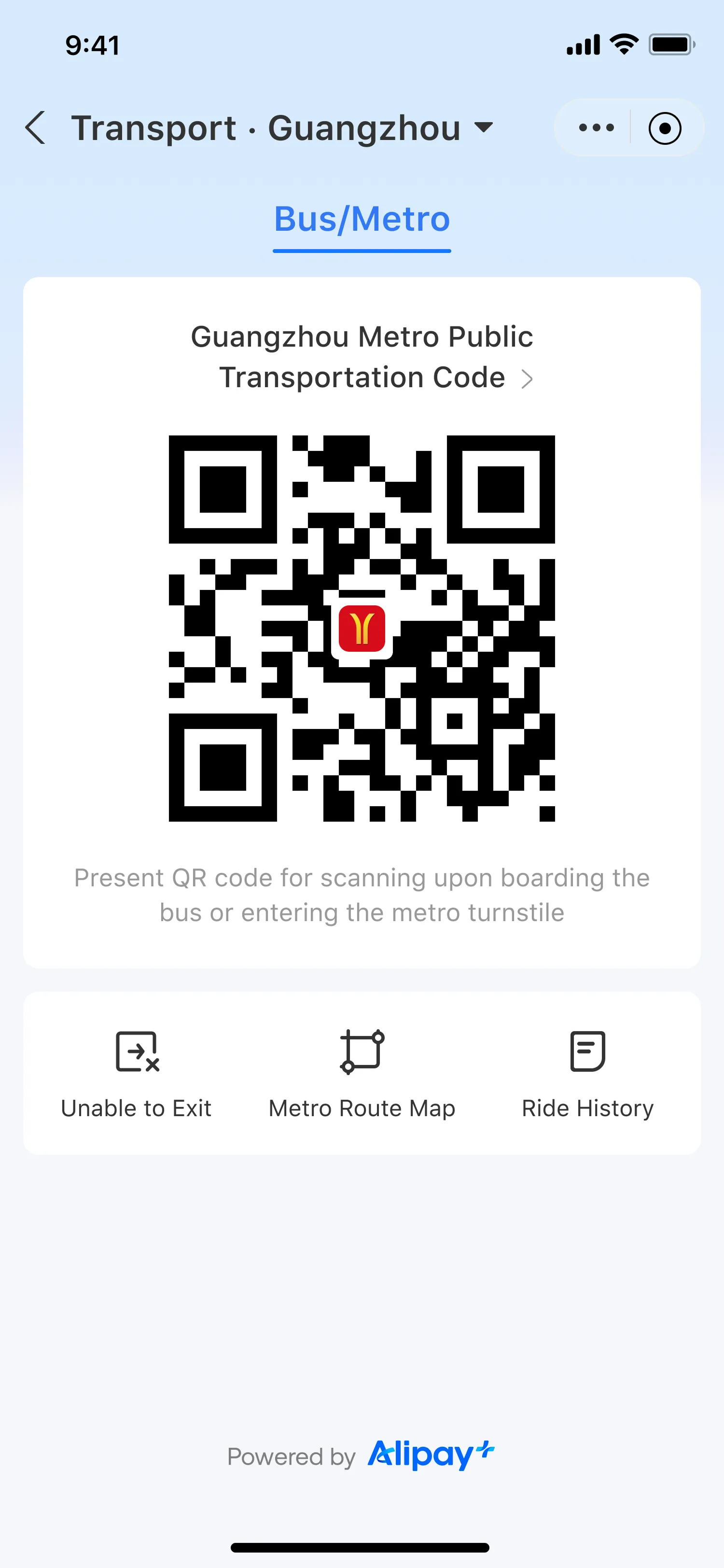
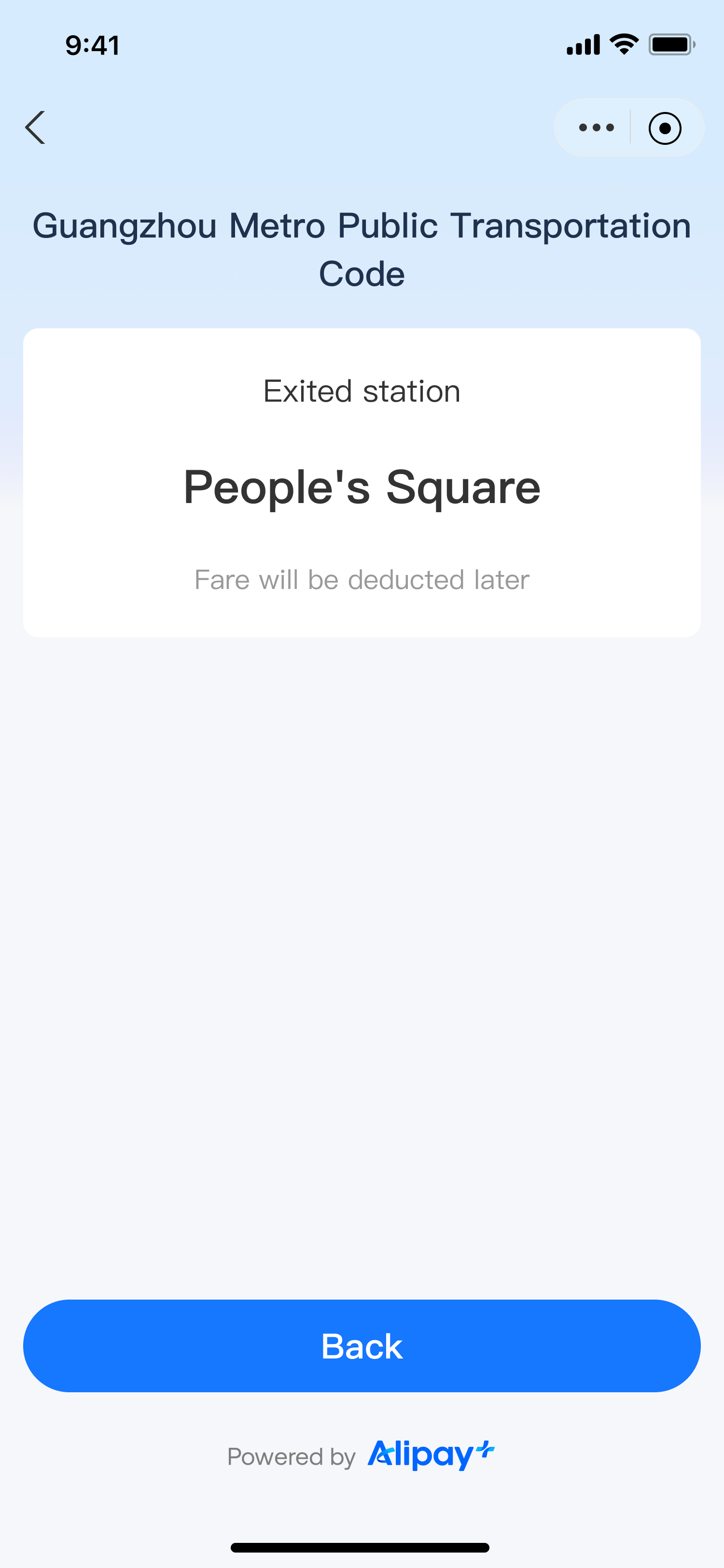
The user presents the Transport Code to the turnstiles' scanner when entering and exiting the subway station or boarding a bus. The fare is deducted after the ride is finished. The user experience is illustrated below:
|
|
|
|
|
|
| ||
|
View ride history
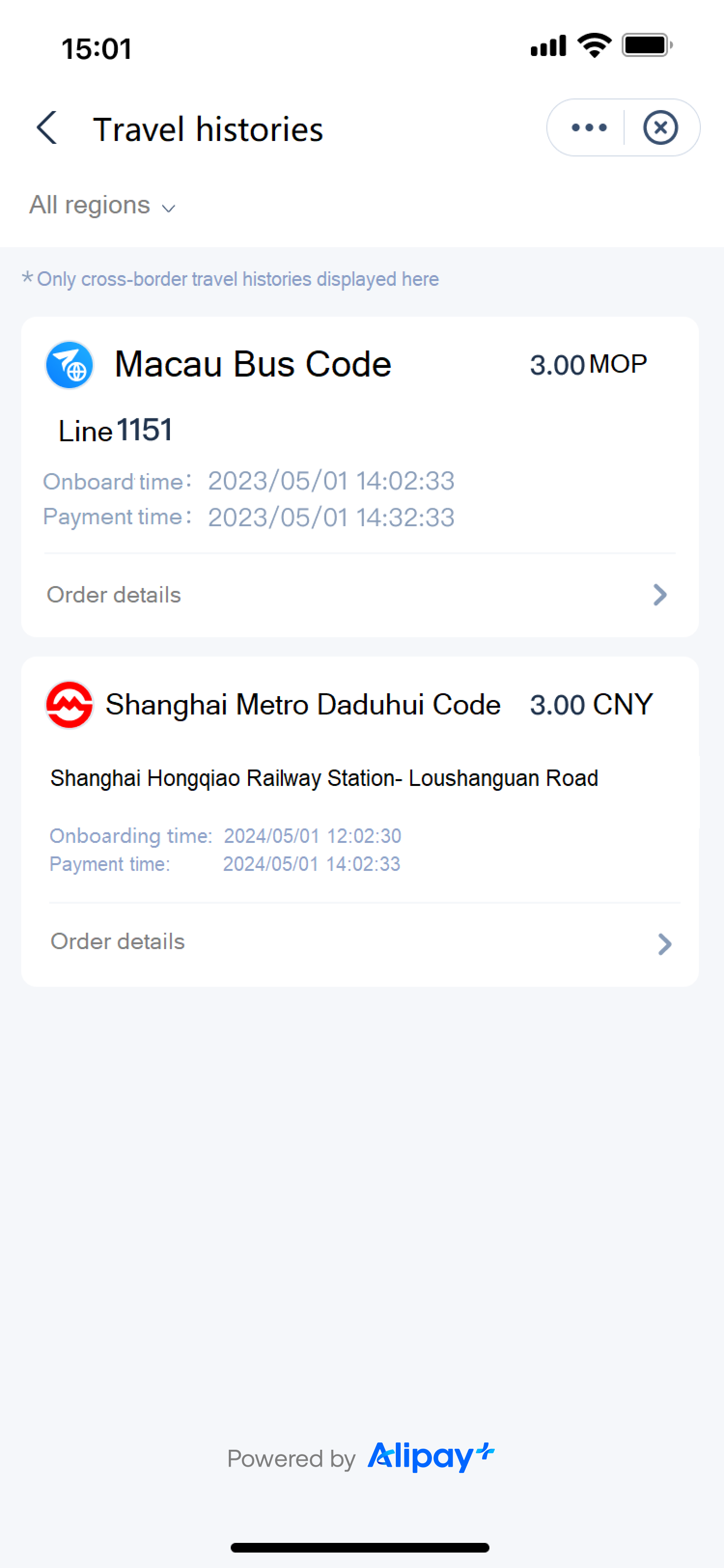
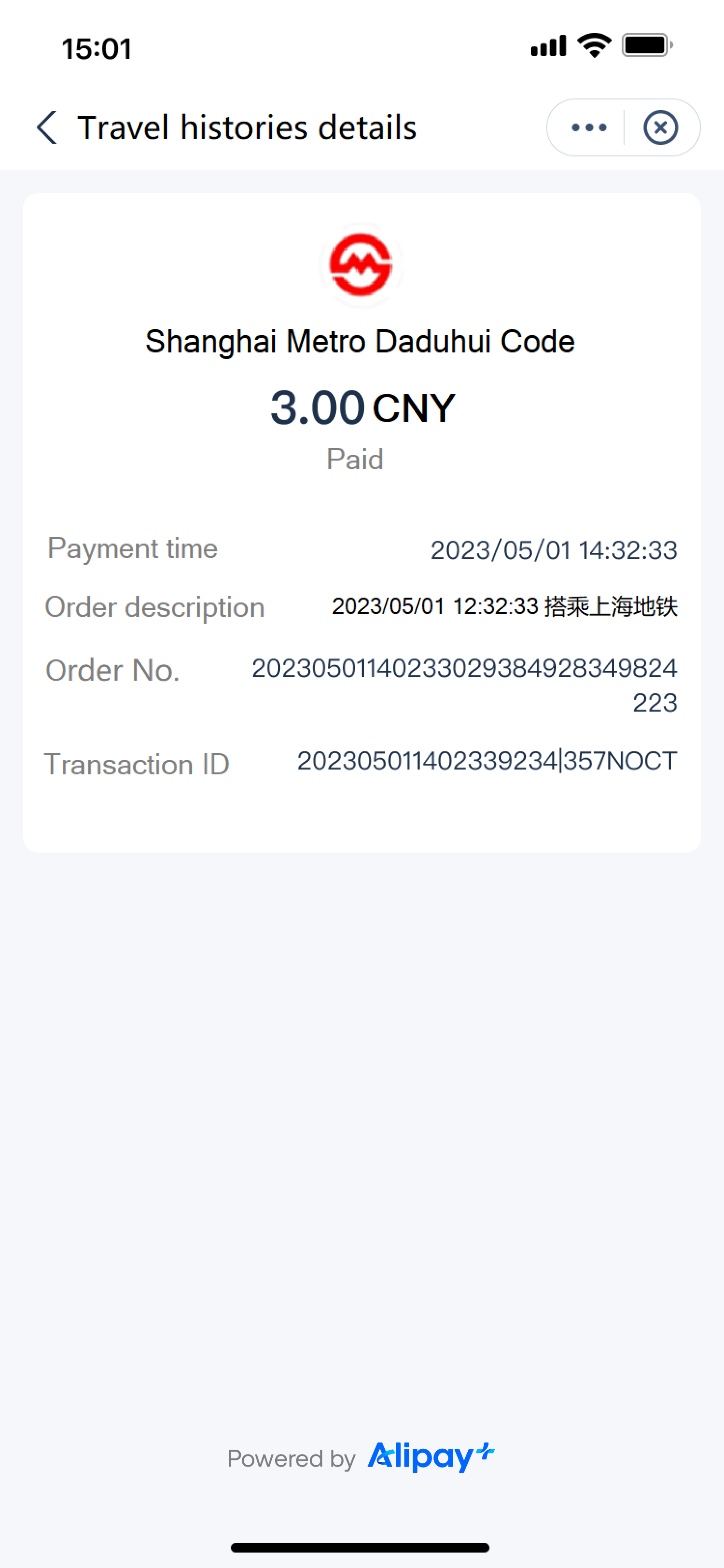
The user can view the Transport Code ride history in the wallet. The user experience is illustrated below:
|
|
|
|
|
|
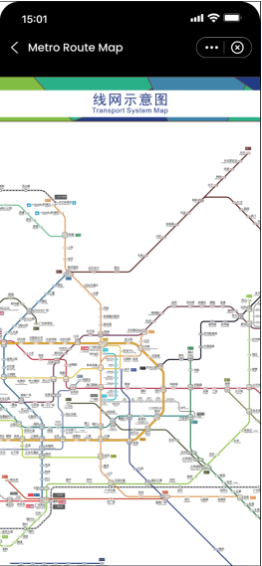
View metro route map
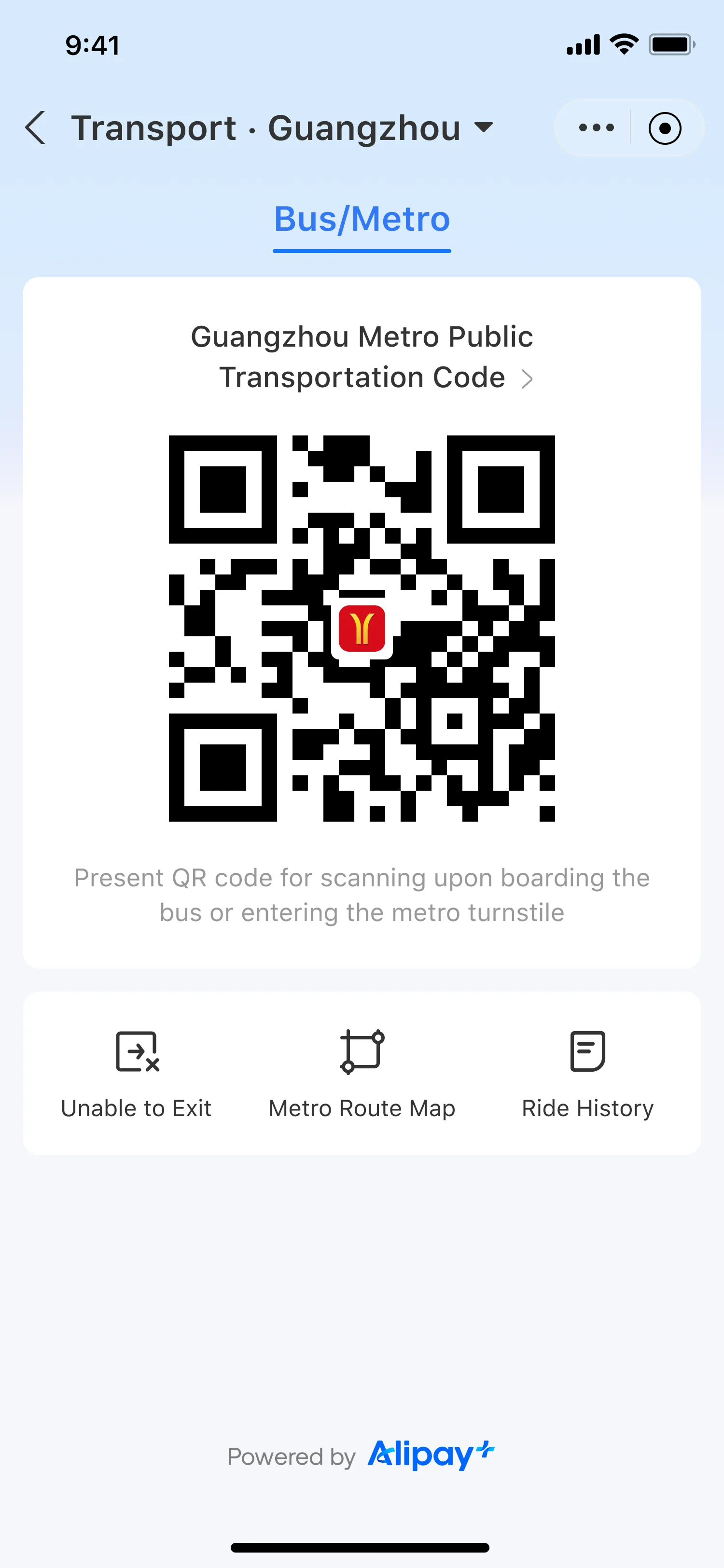
The user can view the metro route map in the wallet. The user experience is illustrated below:
|
|
|
|
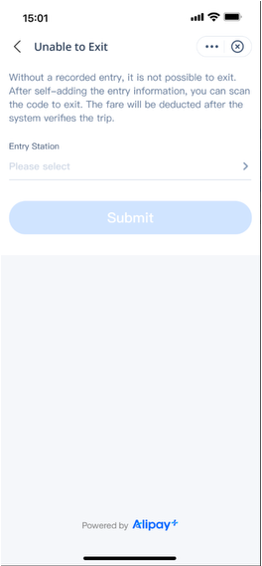
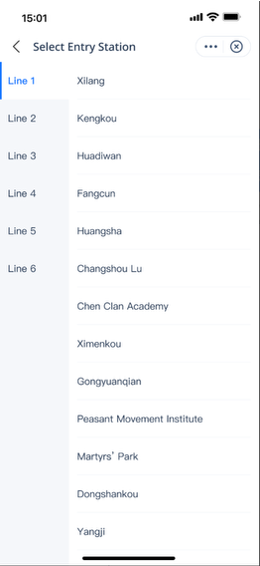
Add entry information
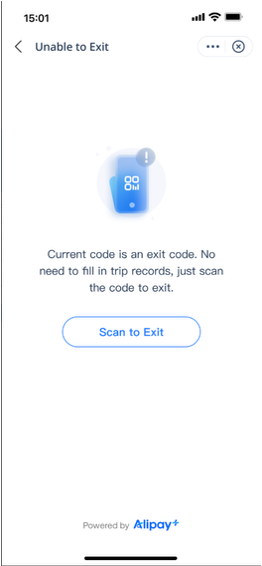
If the turnstile at the exit does not open after scanning the Transport Code, the user may manually add an entry station to proceed. The user experience is illustrated below:
|
|
|
|
| |
|
| |
|
| |
Implementation method
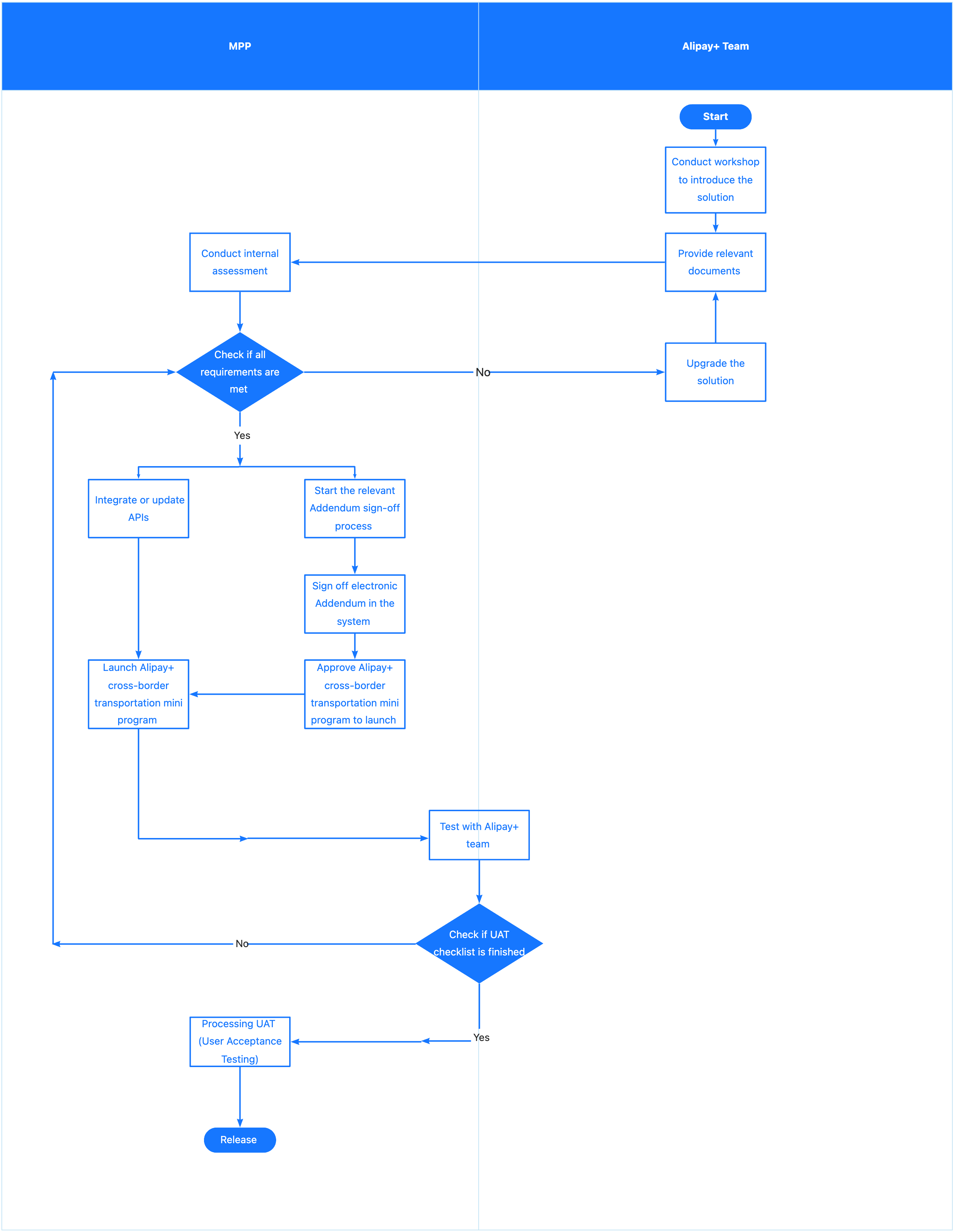
This section walks you through how to implement the Transport Code.
Preconditions
The MPP must meet the following preconditions before implementing the Transport Code:
- Integrate Alipay+ mini program capabilities. The Alipay+ Cross-Border Public Transport mini program supports the Transport Code and related cross-border transport features. It is built on the Alipay+ international mini program platform and is deployed in the wallet.
- Integrate Alipay+ Auto Debit. To support ride-first-pay-later, users must authorize a password-free Auto Debit agreement before riding so the MPP can deduct fares after the trip.
- Integrate the Alipay+ MPP Client SDK. Subways and other public transport may have weak or no network. The OfflinePay SDK stores the offline code seed to support operation when the network is unavailable. The MPP Client SDK also abstracts transport-specific differences in Transport Codes, reducing integration and operational costs.
SOP
Integration
For instructions on how to integrate the Transport Code service, see Transport Code integration.
Buy tickets through in-store payment
Users can purchase one-way tickets at self-service ticket vending machines that support Alipay or Alipay+ (for example, in the subway) by scanning the QR code on the machine or presenting their payment code.
User experience
There are ticket vending machines for one-way tickets in every subway station in Chinese mainland cities.
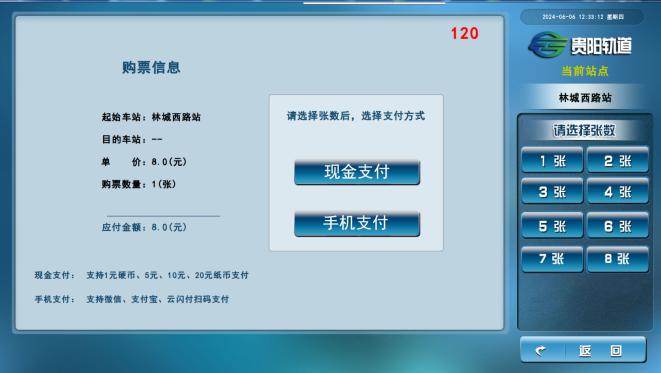
- The user selects their destination and the number of tickets at the vending machine.
- The user chooses "Alipay" or the QR code payment method and pays for the tickets through either of the following two methods:
- The vending machine issues the one-way ticket.
- The user swipes the ticket at the turnstile's card reader area to board the subway. After the ride is over, the user inserts the ticket into the turnstile's recycling slot to exit.
Implementation methods
The following two methods to pay for the ticket are supported:
Merchant-presented Mode Payment
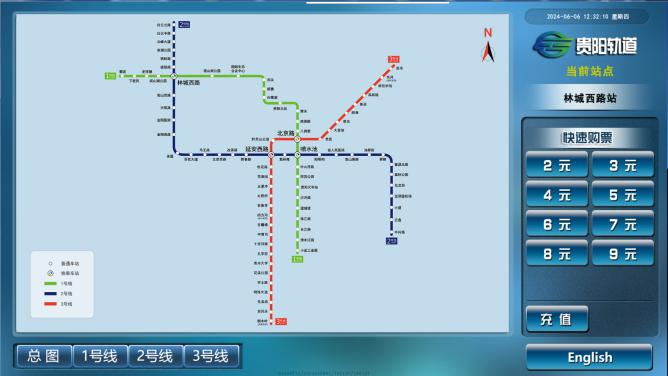
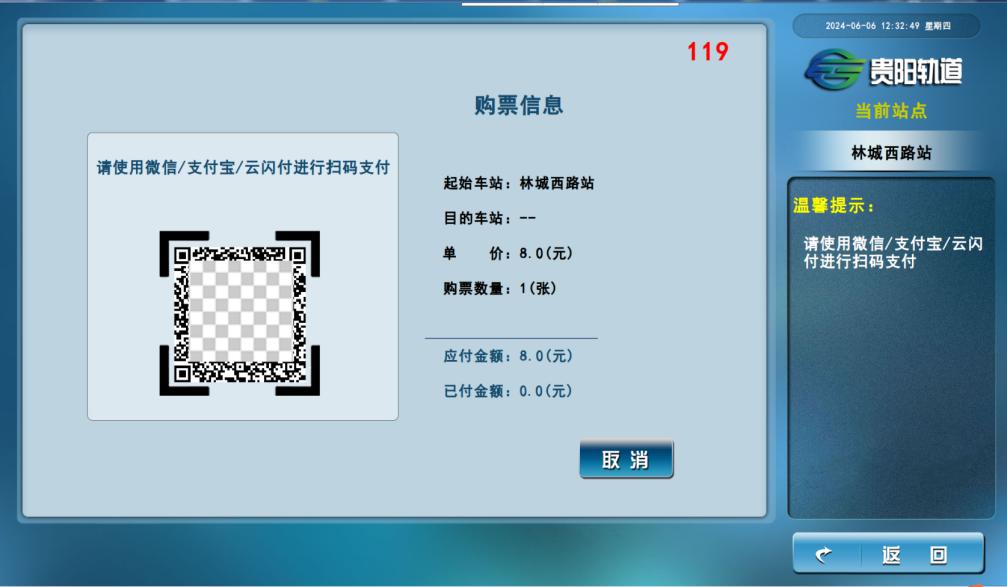
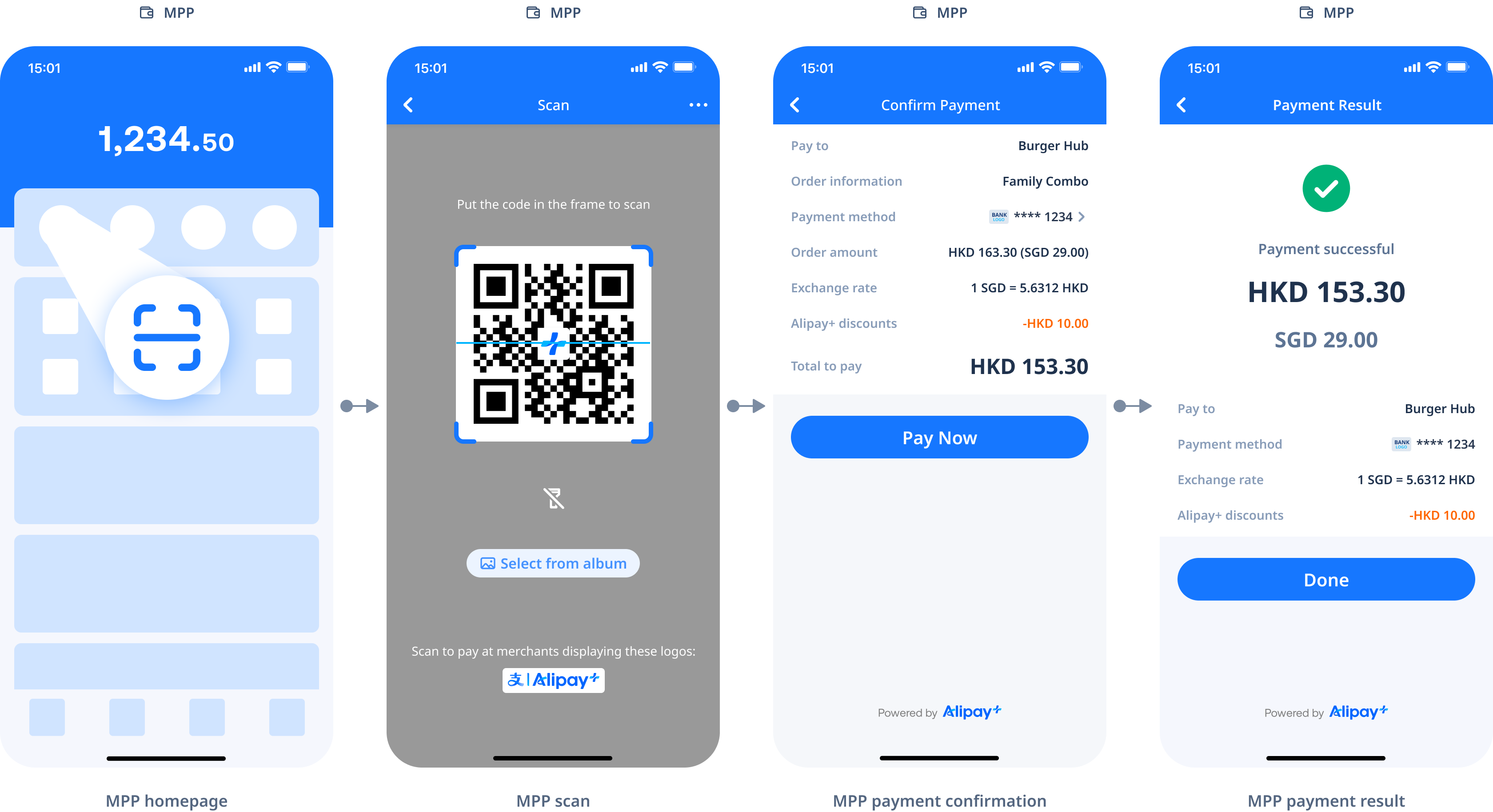
After the user places a ticket order, the vending machine that supports Alipay+ presents a QR code on the screen. The user scans the code with their wallet app and confirms to pay. The vending machine issues the ticket. The user experience is illustrated below:
|
|
|
|
|
|
|
|
Integration
For more information about Alipay+ Merchant-presented Mode Payment, see Merchant-presented Mode Payment.
For instructions on how to integrate Merchant-presented Mode Payment, see Merchant-presented Mode Payment integration.
User-presented Mode Payment
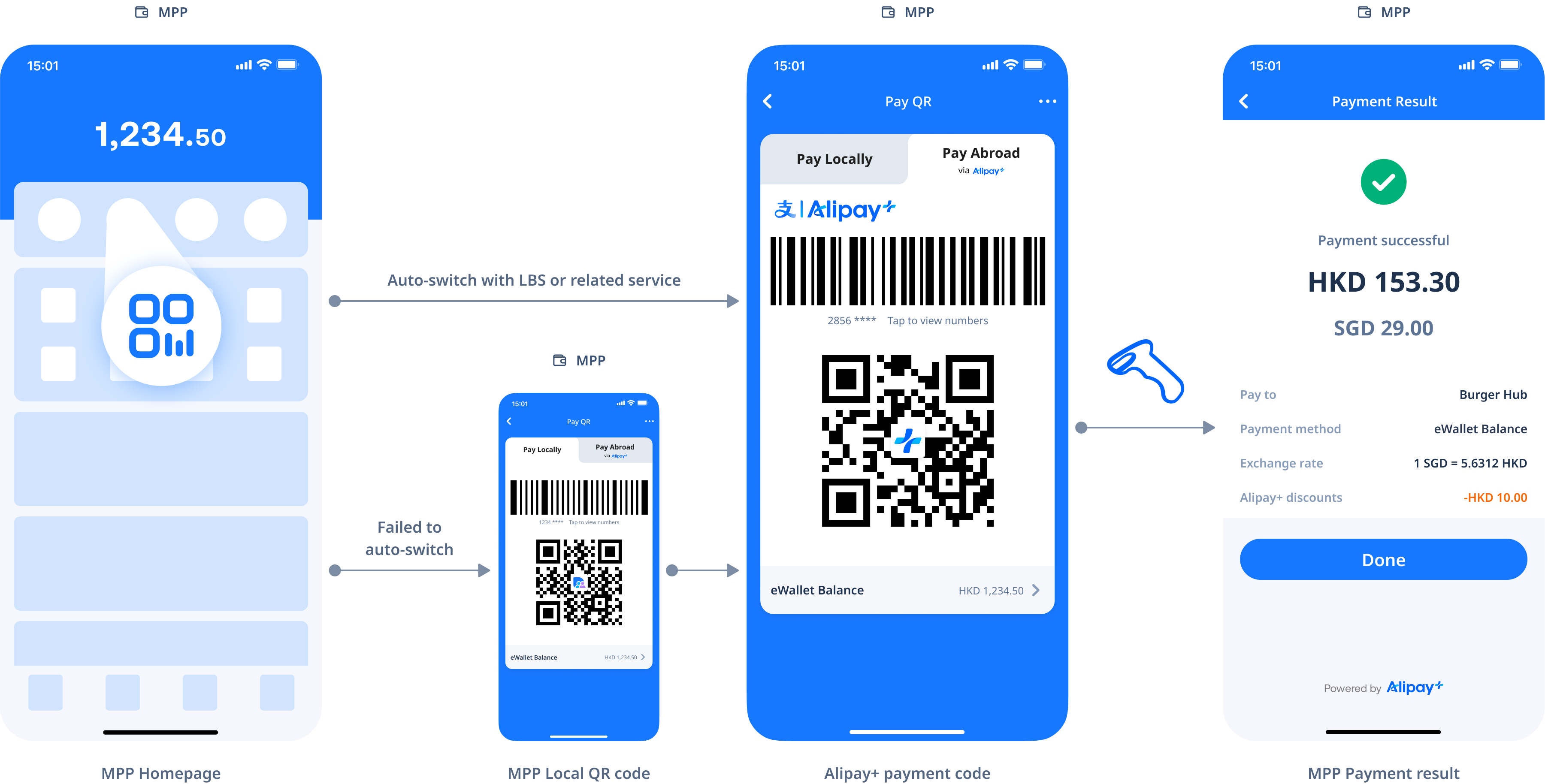
After placing a ticket order, the user presents the payment code shown in the wallet app to the vending machine's scanning area. After the payment is complete, the vending machine issues the ticket. The user experience is illustrated below:
|
|
|
|
| |
|
Integration
For more information about Alipay+ User-presented Mode Payment, see User-presented Mode Payment.
For instructions on how to integrate User-presented Mode Payment, see User-presented Mode Payment integration.